Group bursts
Similar frames are organized into reviewable sets.
 Native macOS app
Cull burst photos before you edit.
Group similar frames, compare candidates, and export ratings and color labels to XMP without uploading photos.
Group similar frames, compare candidates, record decisions, and continue in your editor.
Similar frames are organized into reviewable sets.
Sharpness, exposure, noise, composition, and face signals remain visible while you decide.
Review up to four frames with synchronized zoom.
Picks, rejects, ratings, and color labels are stored without editing source files.
Write ratings and color labels to XMP; Pro adds an experimental Lightroom Classic catalog handoff.
Culling and scoring run locally; photos are not uploaded for analysis.
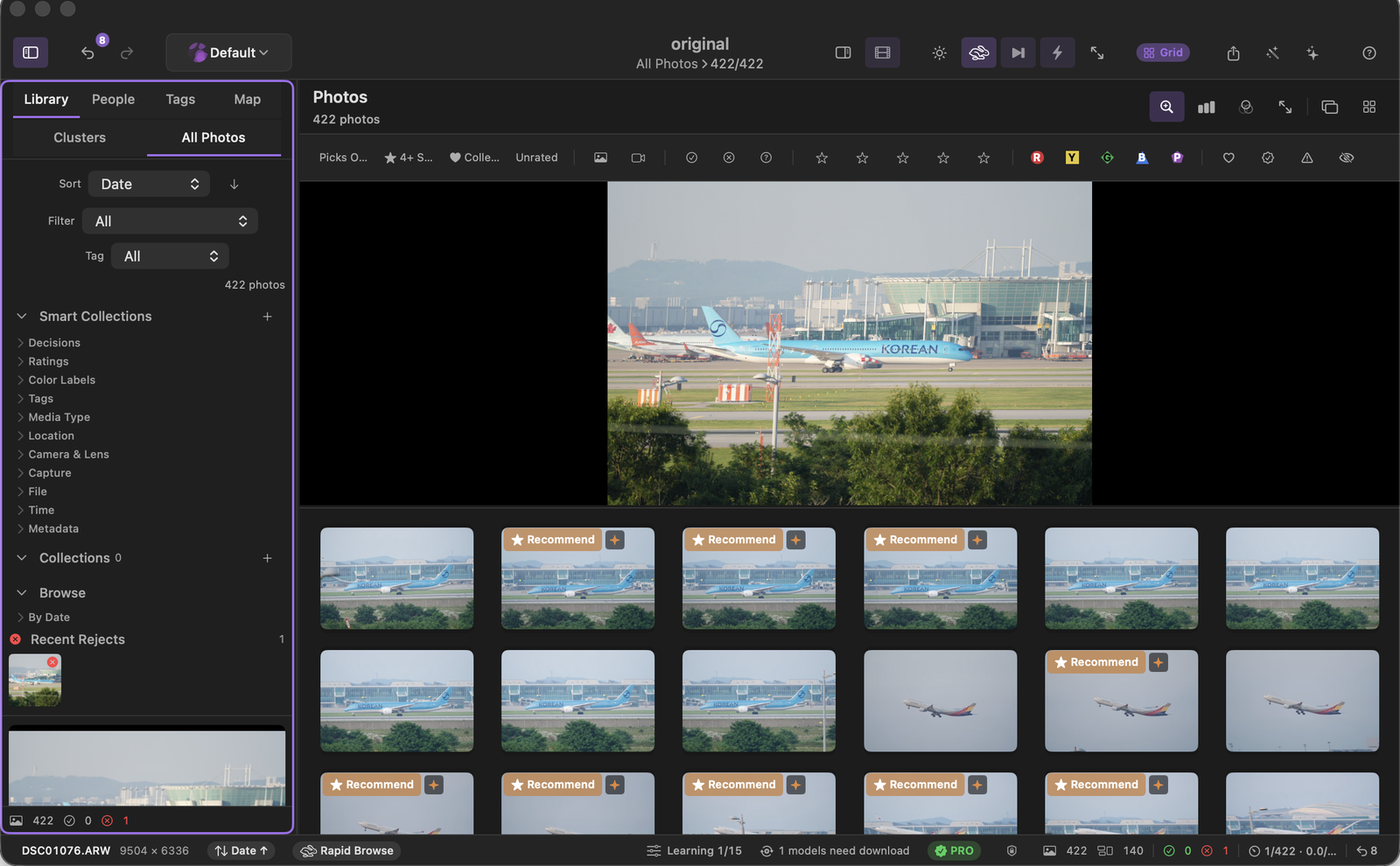
Current macOS build with a real 422-photo catalog.
Filter and review 422 imported RAW photos.
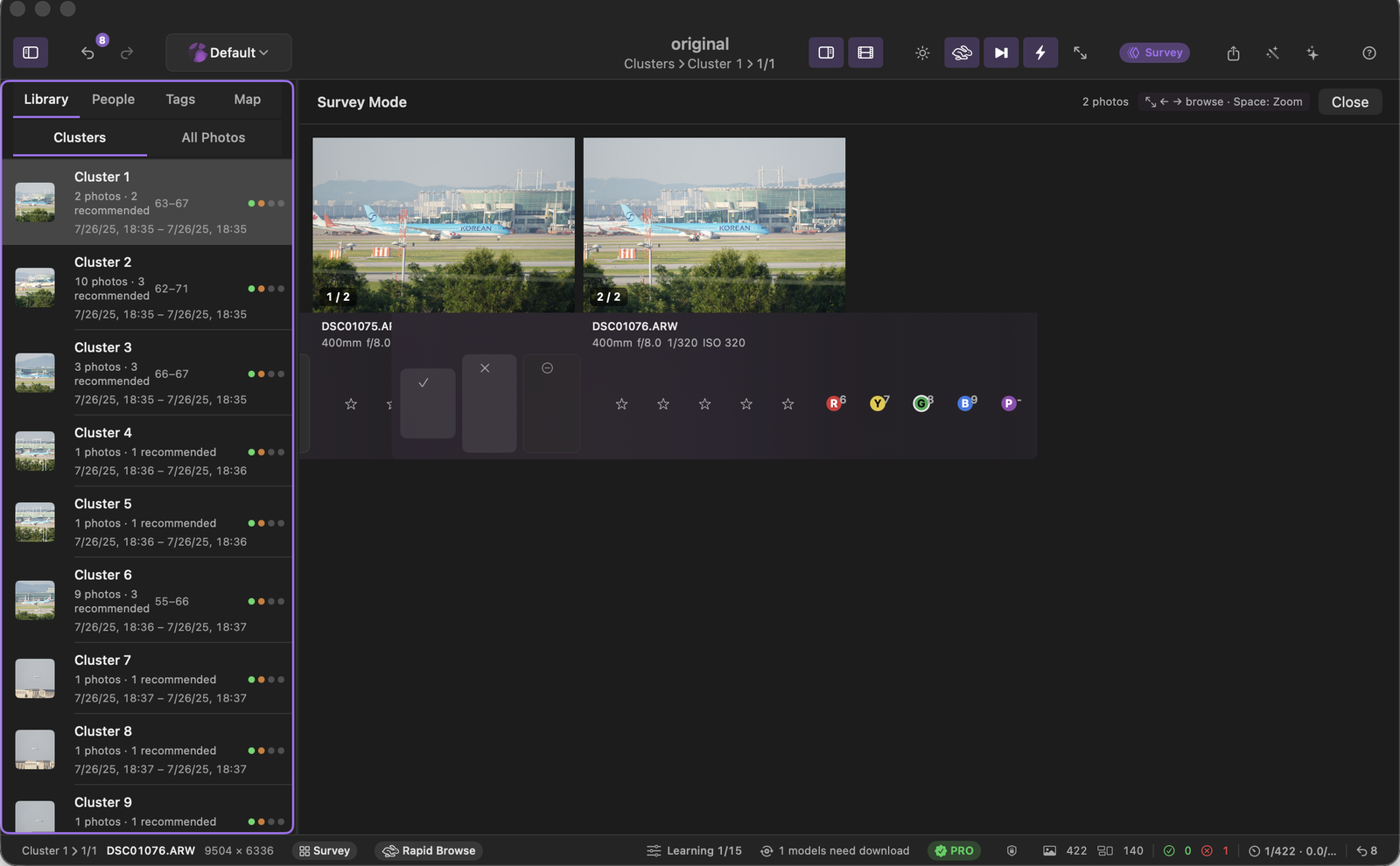
Compare a burst and assign decisions from one view.
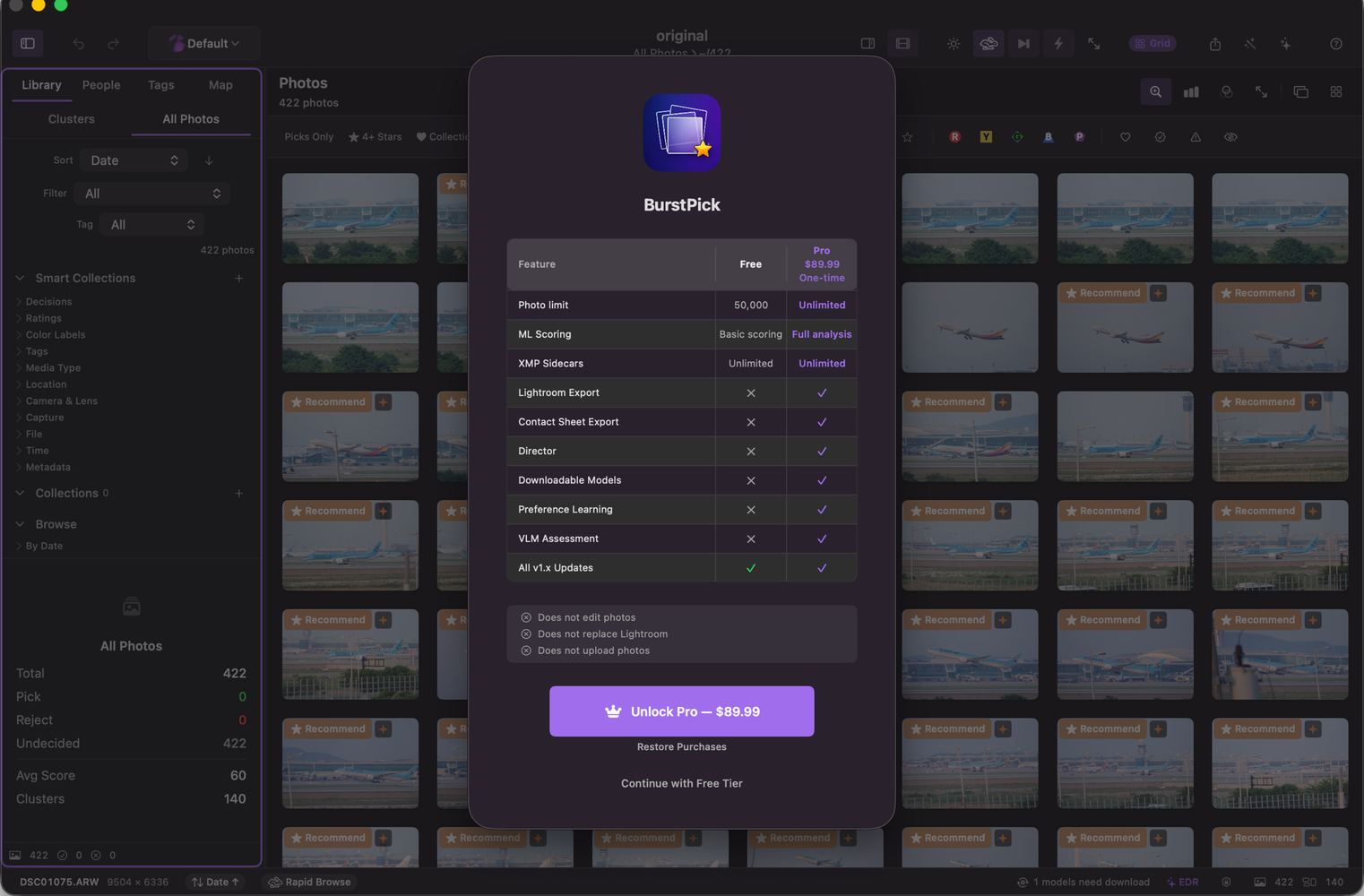
Free and Pro limits shown in the in-app purchase sheet.
Core catalog review and XMP export are free; Pro unlocks additional models and exports.
Catalog review, basic scoring, and XMP export.
Additional models, no catalog limit, and workflow exports.
33 RAW formats (ARW, CR2, CR3, NEF, DNG, ORF, RW2, RAF, and more), 11 standard image formats, and 15 video formats for shoot context.
BurstPick is free to start. Pro is a $89.99 one-time in-app purchase through the Mac App Store. No subscription or recurring fee.
macOS 14 (Sonoma) or later, Apple Silicon or Intel. Apple Silicon is recommended for the fastest CoreML and Neural Engine performance. Windows remains on the roadmap.
No internet is required for culling or scoring. StoreKit purchases, optional model downloads, update checks, and opt-in telemetry can use the network, but photos are not uploaded for analysis.
No. BurstPick is non-destructive by default. Ratings, color labels, and review state are saved as catalog or sidecar metadata; originals are only moved when you explicitly choose a move workflow.
Yes. Ratings and color labels export as standard XMP sidecars. The Pro Lightroom Classic catalog handoff is experimental; pick/reject flags do not have a universal sidecar standard, so BurstPick uses catalog and best-effort metadata handling where possible.
Yes. Free supports up to 50,000 photos per catalog, basic no-download scoring, burst grouping, non-destructive review, and unlimited XMP sidecar export.
No. Culling and scoring run locally on your Mac. Network access is used only for StoreKit purchases, optional model downloads, update checks, and opt-in telemetry.
Start with Free; Pro is a one-time in-app purchase.
Mac App StoremacOS 14+ · Apple Silicon & Intel · Free tier available
Occasional product and model updates.
Photos are not uploaded for culling.